Gemini 3 Just Landed. What It Means for Your Daily Life
Meet Gemini 3
Google’s Gemini 3 arrives with a simple promise. Make everyday tasks easier without asking you to learn something new. It understands nuance, reads context, and works across text, images, video, audio, and code all at once. For many people, this is the first version of Gemini that feels genuinely helpful in daily life, not just impressive in demos.
The biggest shift is that Gemini 3 now powers AI Mode in Google Search, which is why complex questions can generate visual explanations, clearer summaries, and more interactive results. It also works quietly in the background of the Gemini app, where you can upload files, photos, videos, or notes and get back something organized and usable.
How to access Gemini 3
You can start using Gemini 3 in a few simple ways.
Free access:
Visit gemini.google.com or download the Gemini app. The free version is enough to explore its features and try many everyday tasks.
Paid plans (optional):
If you want higher capacity, deeper reasoning, or advanced features, Google offers paid AI plans such as Google AI Pro or Google AI Ultra. You can upgrade directly inside the Gemini app. This is optional. Most people begin with the free tier.
You stay in control:
Upgrading does not change how your data is handled. You choose what to upload, what to connect, and can disconnect at any time.
Use Search to understand complex topics instantly
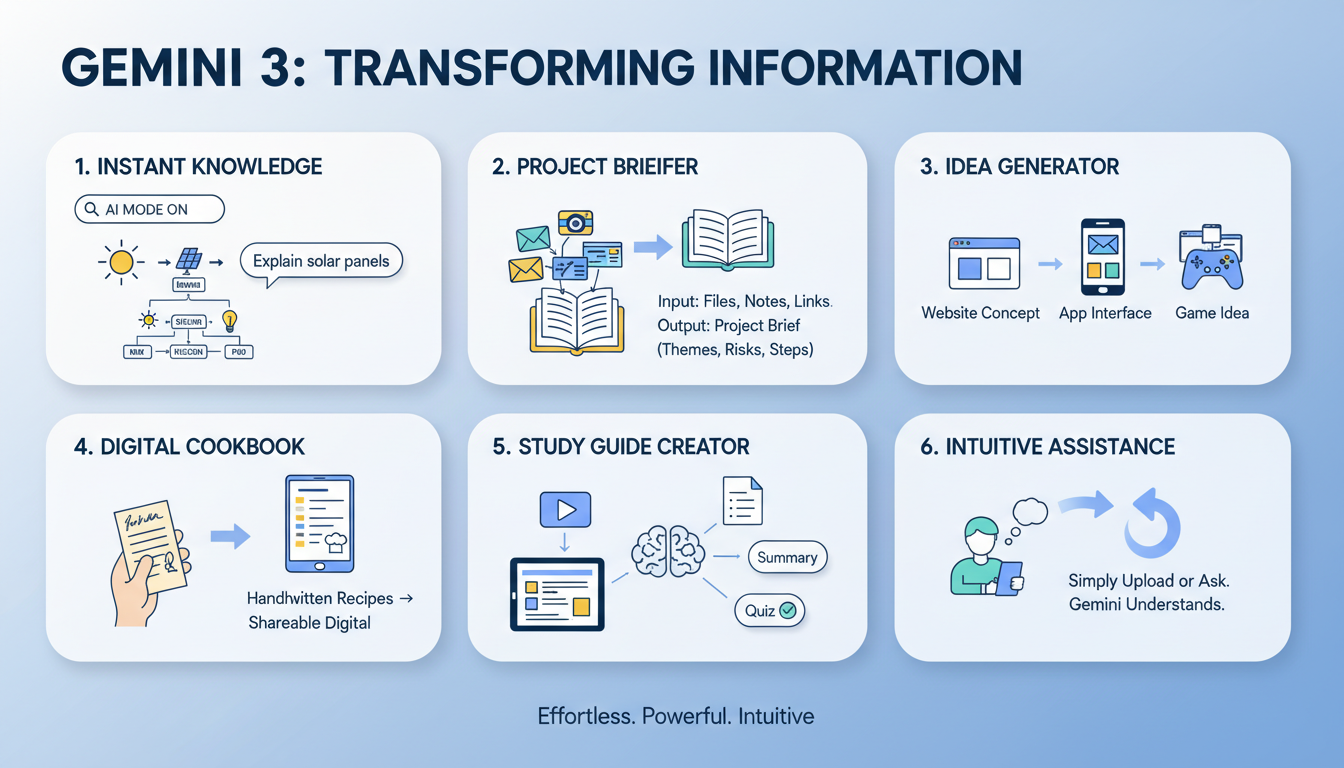
Because Gemini 3 now powers AI Mode in Google Search, you can ask deeper questions and get clear, visual explanations without digging through pages of links.
How it works:
Open Google and turn on AI Mode if it is available.
Ask something you would normally avoid because it feels too complex, like “Explain how solar panels convert sunlight into electricity.”
Search creates a clean, visual breakdown that shows the steps, the parts involved, and a simple explanation.
This makes learning new concepts faster and far less frustrating.
Turn scattered project materials into a clear client-ready plan
Most projects begin with information scattered across emails, screenshots, slide decks, and PDFs. Gemini 3 can pull all of this together in minutes.
How it works:
Open Gemini.
Drag in your files, including PDFs, screenshots, notes, and links.
Say, “Combine everything and create a clear project brief with key themes, risks, and next steps.”
Gemini produces a clean outline you can refine or share.
Turn a snapshot into a clean website, app, or game idea
You might see a layout or visual you like and want to explore it without building anything yet. Gemini 3 can turn a single image into a starting point for a website, an app interface, or even a simple game concept.
How it works:
Upload a photo or screenshot of the layout.
Use a clear request based on what you want:
For a website:
“Turn this layout into a clean website concept and show me a simple version I can build from.”
For an app:
“Turn this screenshot into an app interface concept with a few example screens.”
For a game:
“Turn this into a simple game idea and show me how the main screen and gameplay could look.”
Gemini will create a simple version of the website, app, or game you asked for so you can see the layout, screens, or basic flow before you build anything. It also gives you a foundation you can build on by asking Gemini 3 to refine the design, add features, or generate the next version as you develop the idea further.
Turn handwritten recipes into a digital family cookbook
Many families keep handwritten recipes that are meaningful but easy to lose.
How it works:
Take photos of the recipe pages.
Upload them into Gemini.
Say, “Organize these into a simple digital cookbook with clean formatting.”
Gemini reads the handwriting and creates a polished, shareable collection.
Turn a long lecture or article into a usable study guide
Learning something new usually means sifting through dense material.
How it works:
Upload the lecture video or document.
Say, “Create flashcards, a summary, and a short practice quiz.”
Gemini turns the content into a complete study set.
A final thought
What makes Gemini 3 stand out is how intuitive it feels. You do not need a technical background to use it. You do not have to learn new tools or memorize complicated steps. You simply upload what you have or ask for what you need, and Gemini understands the context and does the heavy lifting for you. It works the way people naturally work, which makes it easy to fit into real routines without adding more noise or complexity.